How to switch Claude Code accounts without losing your conversation
I kept losing my flow to the /login browser dance whenever I needed a different Claude Code account mid-task. So I wrote oof, a small zsh script that saves the current login, swaps in another one and resumes the same conversation.
Contents
Short answer: Claude Code keeps your conversations on disk per folder, not per account. So you can swap the login, run claude --continue in the same folder, and keep going with the same conversation on a different account. oof does that in one command. It saves the current login from the macOS Keychain, swaps in the account you asked for, updates ~/.claude.json and resumes. The whole script is on GitHub Gist.
I use Claude Code for Construct, my startup, and for side projects like this site, and I have more than one Claude account. When I’m deep in a session and need a different one, the built-in way is /login: a browser tab opens, I check which account the browser is signed in to, approve, come back to the terminal and hope I picked the right one. It works, but it gets old fast, and it always seems to happen right when I’m in the middle of something.
What I wanted was one command that says “use the other account” and puts me back in the exact conversation I was having. No browser, no copying tokens around, and no fresh chat where I have to explain the whole task again.
That command is oof, named after the noise I make when Claude Code tells me I’ve hit a limit halfway through a task. It’s a single zsh script that I wrote in one sitting. This post covers how it works, how it compares with the official way of running several accounts, and the small rabbit holes I fell into along the way.
Where does Claude Code store your login?
The key fact is that your conversations don’t belong to your account. Claude Code keeps session history on disk under ~/.claude/projects/, grouped by the folder you ran it in. The account only decides who pays for the next message. If you swap the login and run claude -c in the same folder, you land back in your most recent conversation, just on a different account.
That leaves the question of where the login itself lives. On macOS it’s split across two places:
  macOS Keychain                         ~/.claude.json
 ┌──────────────────────────────┐      ┌──────────────────────────────┐
 │ "Claude Code-credentials"    │      │ "oauthAccount": {            │
 │   OAuth access + refresh     │      │   "emailAddress": ...,       │
 │   tokens, plan, rate tier    │      │   "organizationUuid": ...    │
 │   (the secret)               │      │ }  (who /status says you are)│
 └──────────────────────────────┘      └──────────────────────────────┘
The Keychain item holds the actual OAuth tokens. The oauthAccount block in ~/.claude.json is just the label, the email and organization that /status shows. To switch accounts you have to change both, and to switch back later you need a copy of each account’s tokens stored somewhere safe. On Linux and Windows the tokens live in ~/.claude/.credentials.json instead, so the same idea becomes a file copy.
Why not /login or CLAUDE_CONFIG_DIR?
There are already two ways to use multiple Claude Code accounts, and it’s worth being clear about why I didn’t stop at either.
/login works inside a running session and keeps the conversation, but it sends you through the browser every single time.
The official answer for multiple accounts is CLAUDE_CONFIG_DIR. When someone asked for named account profiles in anthropics/claude-code#27359, a maintainer closed it by pointing out that a separate config directory per account already gives you this, with an alias for each:
alias claude-work='CLAUDE_CONFIG_DIR=~/.claude-work claude'
alias claude-personal='CLAUDE_CONFIG_DIR=~/.claude-personal claude'
Each directory has its own login, settings and projects/ folder, which is exactly the problem for me. My conversation lives in one directory, so when I move to the other account it isn’t there to continue. You can symlink the history folders together, but then you’re maintaining a setup that fights the tool’s own design.
/login | CLAUDE_CONFIG_DIR per account | oof | |
|---|---|---|---|
| Browser sign-in on every switch | Yes | No, once per directory | No, once per account |
| Continue the same conversation | Yes | No, each directory has its own history | Yes, through claude -c |
| Settings, MCP servers and memory | Shared | Separate per account | Shared |
| Two accounts running at once | No | Yes | No, one login is active |
| Setup | None | An alias per account | One script and two hooks |
If you want strict separation, for example two clients whose work should never mix, or you need two accounts live at the same time, use CLAUDE_CONFIG_DIR. If you want one setup and the freedom to carry the same piece of work across accounts, that’s what oof is for.
Version one: two shell functions
The first idea was two functions in .zshrc:
cc-save() {   # cc-save work
  security add-generic-password -U -a "$USER" -s "Claude Code-credentials-$1" \
    -w "$(security find-generic-password -s 'Claude Code-credentials' -w)"
}

cc-use() {    # cc-use personal
  security add-generic-password -U -a "$USER" -s "Claude Code-credentials" \
    -w "$(security find-generic-password -s "Claude Code-credentials-$1" -w)"
}
Copy the live token into a named Keychain entry, and copy a named one back. That’s the whole trick, but it has two problems.
The first is that OAuth tokens refresh. Claude Code quietly swaps in a fresh access token and writes it back to the Keychain, and the refresh token can rotate along with it, so a copy you saved yesterday can be dead today. The saved copy has to be kept fresh, which means saving before every switch and ideally all the time.
The second is that I was only swapping the secret. ~/.claude.json still said I was the old account, so /status showed the wrong email until I ran /login anyway, which defeated the whole point.
How oof switches accounts
oof fixes both problems and adds the comfort features I wanted once the basics worked. Each saved account gets:
- a Keychain entry named
oof:<email>#<org>that holds its tokens. The org part matters because one email can belong to several organizations, a personal plan and a Team seat for example, and those are different logins. - a JSON file in
~/.claude/accounts/with itsoauthAccountblock. No secrets go on disk, only the label. - an optional metadata file with a short name like
workand the plan, so I can typeoof workinstead of an email.
The switch itself is small. It reads the target’s tokens with stored_secret, which looks in the account’s own Keychain entry, writes them into the slot Claude Code reads from, and then patches oauthAccount in ~/.claude.json:
switch_to() {
  local key=$1 secret tmp
  secret=$(stored_secret "$key") \
    || die "no saved credentials for $(name_of "$key"). Run oof login to sign in again."
  security add-generic-password -U -a "$USER" -s "$SLOT" -w "$secret" \
    || die "couldn't write to the Keychain"
  tmp=$(mktemp "$CONFIG.oof.XXXXXX")
  jq --slurpfile acct "$STORE/$key.json" '.oauthAccount = $acct[0]' "$CONFIG" > "$tmp" \
    || { rm -f "$tmp"; die "couldn't update $CONFIG"; }
  chmod "$(stat -f %Lp "$CONFIG")" "$tmp"
  mv "$tmp" "$CONFIG"
}
~/.claude.json holds a lot more than the login, including per-project settings and MCP servers, so I never edit it in place. jq writes a temp file next to it, the temp file gets the original’s permissions, and mv swaps it in with a single rename. If anything fails halfway, the real file is untouched.
Before any of that runs, oof saves the current login. That’s the fix for stale tokens: every switch starts by copying the live, freshly refreshed tokens into the current account’s entry, so the account you’re leaving is always stored in its newest state. Then it execs claude -c and the conversation picks up where it left off.
Picking the target is meant to need as little typing as possible:
oofon its own rotates to the next saved account.oof workfirst looks for an exact short name or email, and if nothing matches it tries a substring, sooof persis enough. If a substring matches two accounts it refuses and names both, because guessing wrong here means quietly working as the wrong person.oof pickopens a menu.- Anything after
--goes toclaudein place of-c, sooof pick -- -rlets me choose an account and then choose a conversation.
Saving logins automatically with Claude Code hooks
Saving before every switch covers switches made with oof. It doesn’t cover running /login inside Claude Code by hand, which is how a new account usually gets added. For that I leaned on Claude Code’s hooks. Two hooks in ~/.claude/settings.json run oof save -q in the background when a session starts and after every reply:
{
  "hooks": {
    "SessionStart": [{ "hooks": [{ "type": "command", "command": "\"$HOME/.local/bin/oof\" save -q || true", "timeout": 15, "async": true }] }],
    "Stop":         [{ "hooks": [{ "type": "command", "command": "\"$HOME/.local/bin/oof\" save -q || true", "timeout": 15, "async": true }] }]
  }
}
Now any login gets picked up after the next message, and the tokens on file are never more than one reply old. Since that save runs constantly, it compares the live secret with the stored one first and only writes to the Keychain when they differ, otherwise it would rewrite a Keychain item every few seconds for nothing. The || true and async make sure a hook failure never gets in the way of a reply.
oof login does the same from a normal terminal. It saves the current account, runs claude auth login, saves the new one and suggests a short name for it.
Making it pleasant
Once it worked I gave it some polish, because a tool you reach for in the middle of real work should feel good to run.
The banner. oof help opens with a big OOF in block letters that fades through Claude’s orange from top to bottom. The letters are solid blocks with box-drawing characters as a drop shadow. I wanted the blocks colored and the shadow dim, and zsh can do that with one substitution per line:
line=${art[i]//(#m)[╔╗╚╝═║]##/${R}${D}${MATCH}${R}${grad[i]}}
With extended_glob on, (#m) captures each run of shadow characters into $MATCH, and the replacement wraps it in “reset, dim, the shadow, then back to this row’s gradient color”. It uses truecolor when the terminal supports it, falls back to the 256-color palette otherwise, and turns color off entirely for pipes, NO_COLOR and dumb terminals.
The menu. oof pick is an arrow-key menu in plain zsh, with no fzf or other dependency. It opens /dev/tty on its own file descriptor, so the menu keeps working while stdout is captured, which matters because the chosen account is printed back to the caller. Then it puts the terminal into raw mode with stty -icanon -echo and reads one key at a time. The fiddly part is the Escape key. An arrow key arrives as Escape followed by [A, while plain Escape arrives alone, so after an Escape the menu waits 50 milliseconds for more bytes. If [A or [B shows up it moves the selection, and if nothing comes it treats it as Escape and cancels. The menu redraws in place by moving the cursor up and clearing each line, a trap restores the terminal if you hit Ctrl+C partway through, and it starts on the next account rather than the current one, since you opened it to leave.
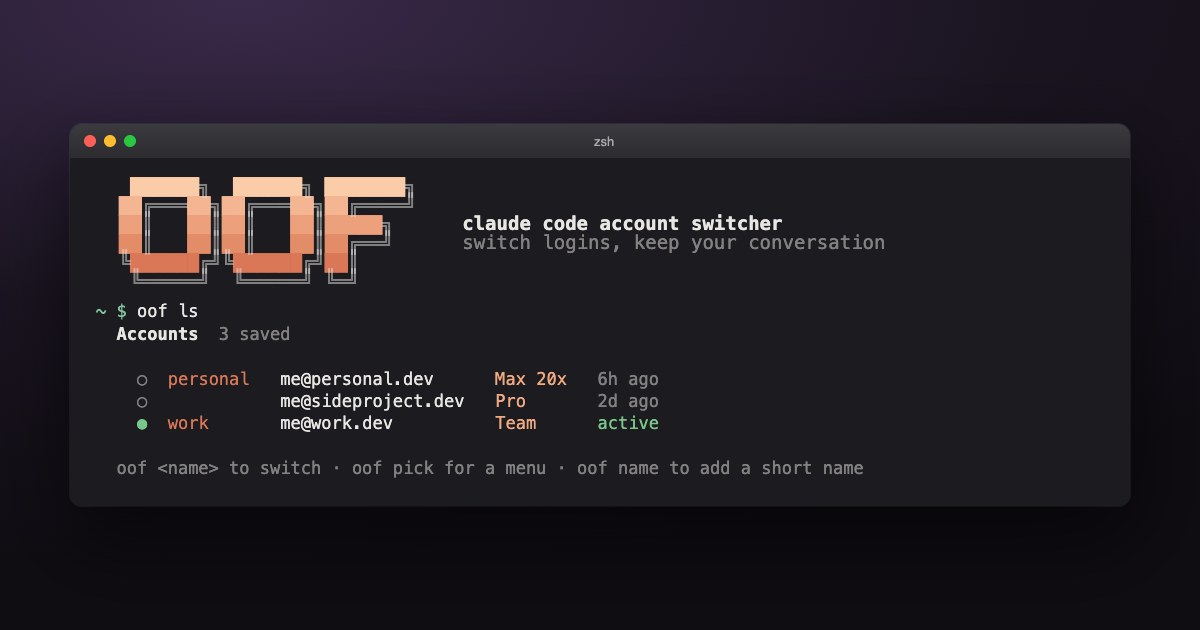
The list. oof ls shows each account’s short name, email, plan and when it was last active, with a green dot on the current one. The plan comes from the stored token data, where the subscription type and rate tier turn into labels like “Max 20x” or “Team”. “Last active” is simply the modification time of the account’s file, which the hooks refresh on every save.
Completion. Pressing Tab after oof lists the saved accounts, with each one’s email, plan and whether it’s active, next to the commands. A hidden oof __accounts command prints one value:description line per account, and the completion function hands those to zsh’s _describe. The completion script itself comes from oof completion zsh, so it can’t drift out of sync with the commands. One gotcha worth knowing: if your .zshrc runs compinit -C, zsh trusts its cached dump and won’t notice a new completion file until you delete ~/.zcompdump.
Is it safe with several sessions open?
I usually have a handful of Claude Code sessions open in cmux, so this was my main worry. Say I switch to account B while an older session still has account A in memory. If that session refreshed its token, it might write A’s tokens back over B’s, and then my hook would save A’s tokens under B’s name.
Before adding locks and timers I looked at what Claude Code actually does when it refreshes, and it already handles this. Before refreshing, it re-reads what’s stored, and if the stored token isn’t the one it was holding, it adopts the stored one instead of refreshing its own. When it does refresh, it only writes the result back if the stored token is still the one it started from. An old session can’t overwrite a newer login, so the scary version of the race doesn’t happen.
There are two smaller rough edges I know about and haven’t fixed yet:
- The token and the label are two separate writes. If a hook’s save lands in the few milliseconds between
oofwriting the Keychain and writing~/.claude.json, it pairs the new account’s token with the old account’s name. A/loginin another window has a wider version of the same gap, since it fetches the profile over the network between its two writes. The proper fix is to hold Claude Code’s own lock files during a switch and havesavestand down while a switch is in progress. Until then,oofwarns when otherclaudeprocesses are running so I can restart them, and if a pairing ever goes wrong, one/loginrepairs it on the next reply. - The secret briefly appears in a process argument.
security add-generic-password -w "$secret"puts the token on the command line, wherepscan see it for a moment. Claude Code avoids this by feedingsecurity -iits commands on stdin. On a single-user laptop the risk is small, but it’s the next thing I’d change.
Install oof
You need macOS, zsh, Claude Code and jq (brew install jq). It’s one file, so read it before you run it:
mkdir -p ~/.local/bin
curl -fsSL https://gist.githubusercontent.com/ankushKun/cd27fb07b0f06be99d4181b40309103d/raw/oof.sh -o ~/.local/bin/oof
chmod +x ~/.local/bin/oof
Make sure ~/.local/bin is on your PATH, then:
- Add the two hooks above to
~/.claude/settings.json, merging them with any hooks you already have. You can confirm they’re active with/hooksinside Claude Code. - Install tab completion with
oof completion zsh > "$(brew --prefix)/share/zsh/site-functions/_oof", then runrm -f ~/.zcompdumpand open a new terminal. - Run
oof loginonce for each account you want to add, and give each one a short name withoof name [email protected] work.
After that, oof rotates to the next account, oof work jumps to a named one, oof pick shows the menu, and oof ls lists everything. The first time it touches the Keychain, macOS may ask for permission, and “Always Allow” stops it asking again.
A note on limits
The name is a joke about hitting a limit, but oof is for switching between accounts you actually have, like a personal plan and a seat on your company’s Team plan. Each account keeps its own limits, and switching doesn’t change them. If what you keep running into is the usage limit on a single plan, the supported routes are extra usage, a bigger plan or an API key. Before you set up a stack of personal subscriptions just to rotate through them, read Anthropic’s terms first.
Wrapping up
The whole thing is under 600 lines of zsh, and most of that is help text, colors and the menu. The core idea fits in a paragraph. Conversations live on disk and not in your account, and the login is a Keychain item plus a label. Keep a fresh copy of each account’s item, swap both pieces together, and switching becomes one command that drops you back into the same conversation.
I built it in one sitting with Claude Code, against Claude Code 2.1.296. For testing, the OOF_CONFIG and OOF_STORE variables point the script at a throwaway config and account store, so the menus, naming and completion could be exercised against fake accounts without touching real logins. That’s also how the screenshot at the top was made. The script is on GitHub Gist if you want to read it, use it or adapt it for Linux. It started life as ccs, and logins saved by that version still work after the rename.
FAQ
How do I use multiple Claude Code accounts on one Mac?
There are two common ways. The official one is a separate CLAUDE_CONFIG_DIR per account, launched through a shell alias, which gives each account its own login, settings and history. The other is to keep one config folder and swap only the login, which is what oof does, so every account shares the same conversations.
Can I switch Claude Code accounts without losing my conversation?
Yes. Claude Code saves conversations on disk under ~/.claude/projects/, grouped by folder, not by account. After switching the login, run claude --continue (or claude -c) in the same folder and the most recent conversation opens on the new account. oof does the switch and the resume in one command.
Where does Claude Code store its login on macOS?
The OAuth tokens are in the macOS Keychain, in a generic password item named Claude Code-credentials. The account’s email and organization, which /status shows, are in the oauthAccount block of ~/.claude.json. On Linux and Windows the tokens are in ~/.claude/.credentials.json instead.
What is the difference between oof and CLAUDE_CONFIG_DIR?
CLAUDE_CONFIG_DIR keeps accounts fully separate, including settings, MCP servers and session history, and lets two accounts run at the same time. oof keeps one shared setup and swaps only the login, so a conversation started on one account can be continued on another. Use CLAUDE_CONFIG_DIR for strict separation and oof when you want to carry on the same work.
Does switching Claude Code accounts give me more usage?
No. Each account keeps its own plan and its own limits, and oof does not change them. It is for moving between accounts you already have, like a personal plan and a company Team seat. If you regularly need more usage on one account, the supported options are extra usage, a higher plan or an API key.
Does oof work on Linux or Windows?
Not as written. It is a zsh script for macOS that uses the security command to read and write the Keychain. On Linux the same idea works by copying ~/.claude/.credentials.json instead, and the rest of the script would stay the same.
Is oof an official Anthropic tool?
No. It is a personal script I wrote and published as a GitHub Gist. It is not affiliated with or endorsed by Anthropic, and it depends on where Claude Code currently keeps its login, which could change in a future release. It was written against Claude Code 2.1.296.