sh23ds: Silent Hill 2 for Nintendo 3DS
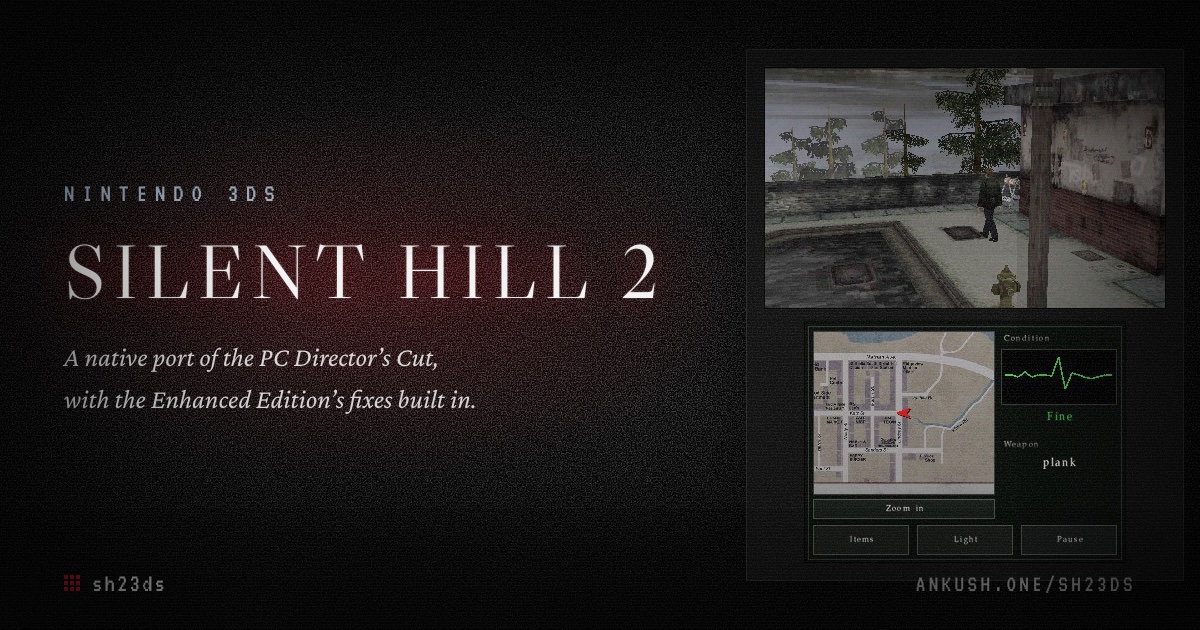
Silent Hill 2 running natively on the New 3DS and original 3DS: the 2001 game rebuilt in C from the PC Director’s Cut, with the Enhanced Edition’s fixes, playing data packed from your own copy. Install steps, controls and how it works.
Contents
sh23ds is Silent Hill 2 on a Nintendo 3DS, running as native homebrew.
It isn’t an emulator. The game’s camera, lighting, fog, events, enemies and cutscenes were ported function by function from the PC Director’s Cut executable into a new engine in C for the 3DS’s ARM11 CPU and PICA200 GPU, each with the PC address it came from in a comment. You bring your own copy of the PC game: a packer converts it into the 3DS’s formats, in your browser or with Docker, and the app installs from a QR code with FBI.
The whole game is in. All 17 areas, every puzzle, enemy and boss, all 128 in-engine cutscenes and the movies, the six endings, New Game+ and the Director’s Cut’s Born From a Wish scenario with Maria. The New 3DS gets the full settings at up to 60 fps, and the original 3DS and 2DS get a lighter profile at 30.
How it was made, and what the 2002 executable turned out to be hiding, is in the blog post Porting Silent Hill 2 to the Nintendo 3DS.
Features
- Every area, cutscene, puzzle, boss and ending of the 2001 game, plus Born From a Wish and New Game+
- The PC’s camera, translated from its 100-function camera module and driven by each room’s own camera data
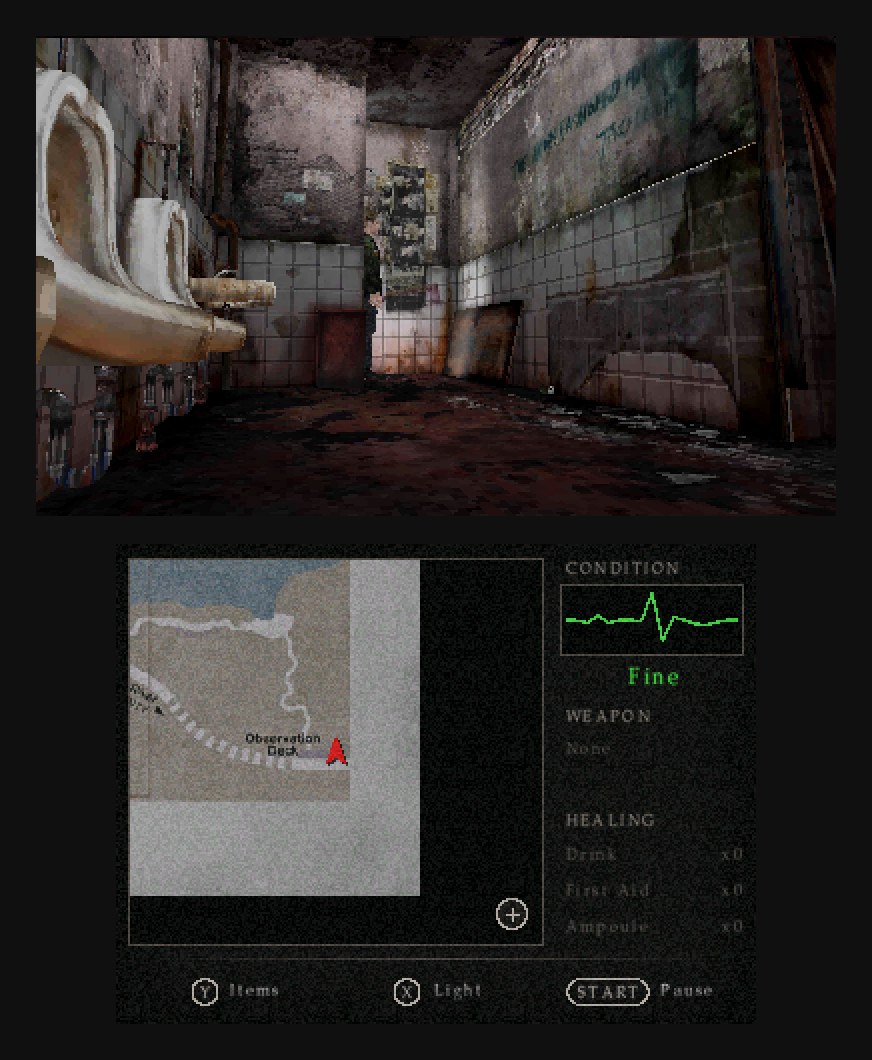
- Room lighting, fog and the drifting fog layer as the PC computes them, read from the executable, and James’ flashlight as a per-pixel spotlight with stencil shadows
- The Enhanced Edition’s fixes built in, such as the PS2 flashlight, the corrected fog and lighting and hold-to-stomp, and its packs used if you have them
- The PC’s music, sound effects and voices, with the layered music decoded on the New 3DS’s spare core
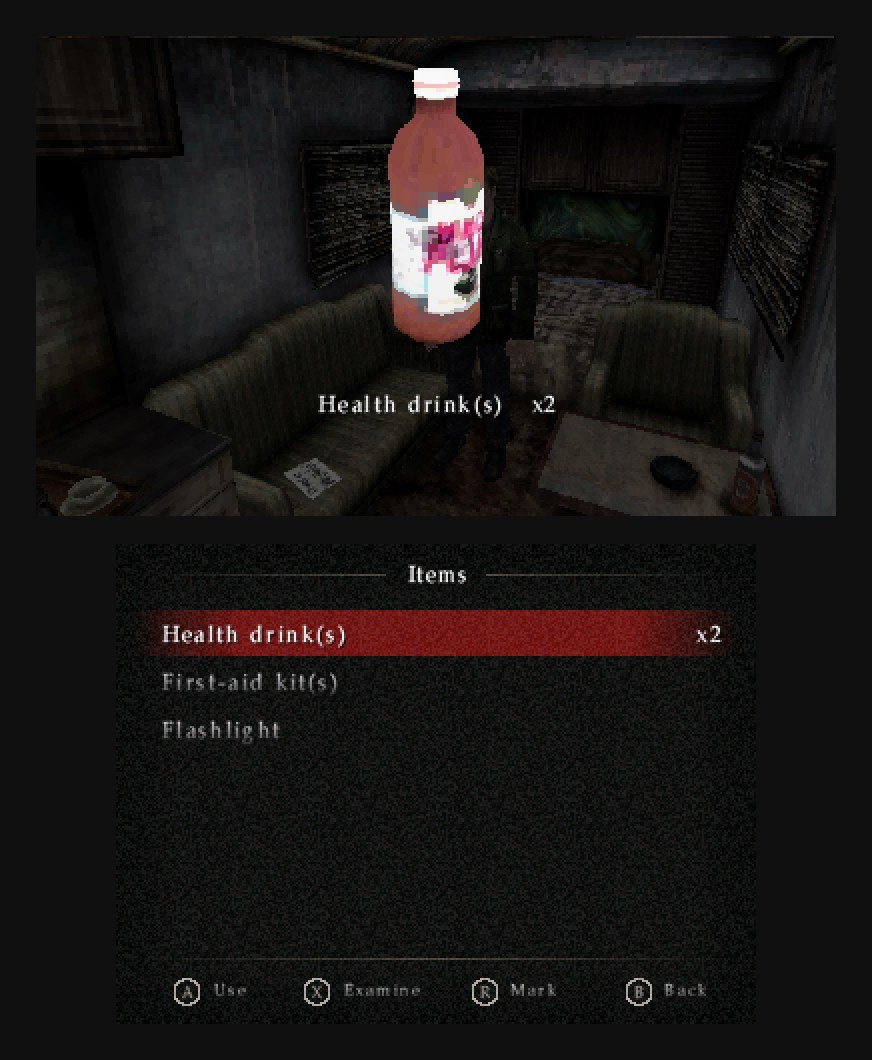
- Two screens used the way the 3DS wants: every list on the touch screen, the thing you picked on top, a live map, healing items as quick slots
- Control layouts for the New 3DS (C-Stick, ZL, ZR) and the original 3DS, both remappable, with Rotational and Directional styles
- Ten save slots on the PC’s save screens, and a setup screen that tells you exactly what’s wrong if the game data is missing or in the wrong place
- A browser packer that runs the converters with Pyodide and ffmpeg.wasm on your computer and uploads nothing
What you need
- A New 3DS, New 3DS XL, New 2DS XL, or any original 3DS, 3DS XL or 2DS, running Luma3DS with FBI installed
- The PC release of Silent Hill 2: Director’s Cut, your own unmodified install with
sh2pc.exeand thedatafolder - A computer with Chrome, Edge, Firefox or Safari for the browser packer, or Docker
- About 1.3 GB free on the SD card, and about 1.5 GB free on the computer while the packer runs
The whole install takes under an hour with the browser packer, and most of that is waiting.
Install
1. Build the game data
Open the packer page in a desktop browser, choose your Silent Hill 2 folder (the one with sh2pc.exe in it) and press Start. When it finishes, save the zip. It runs entirely in the page and reads the game folder only, so nothing is uploaded or installed. Plan for anything from 10 minutes to 2 hours: three workers in Chrome on an 11-core Mac packed the whole game in about seven minutes, and the “Same as Docker” texture quality adds an hour or more.
If you’d rather use Docker, check your copy first, then run the packer image where you want the output. The first run downloads the image, about 900 MB.
# should print f3f5360298b6d0f6f2e09cf24a0925d1 (on Linux: md5sum)
md5 -q "/path/to/Silent Hill 2/sh2pc.exe"

mkdir -p sd
docker run --rm \
  -v "/path/to/Silent Hill 2:/game:ro" \
  -v "$PWD/sd:/out" \
  ghcr.io/ankushkun/sh23ds-packer
On Windows the same command works in PowerShell with backticks for line breaks and "${PWD}\sd:/out", and on Linux add --user "$(id -u):$(id -g)" so the files are yours. If it stops partway, run the same command again and finished steps are skipped. The install guide builds the exact command for your system and folder.
2. Copy it to the SD card
Power off the 3DS and put its SD card in the computer, or copy over Wi-Fi with ftpd. Copy the 3ds folder from the zip (or from sd) to the root of the card, where it merges with the 3ds folder already there.
sdmc:/
  3ds/
    dspfirm.cdc     from DSP1, needed for any sound
    sh23ds/         from the packer: bg, chr, demo, events, map, movie, pic, sound, ui
      save.dat      your saves, once you have played
If there’s no 3ds/dspfirm.cdc on your card yet, run DSP1 once from the Homebrew Launcher, or the game will be silent. When you update the game data later, copy your save*.dat files out of 3ds/sh23ds/ first.
3. Install the app
Open FBI on the 3DS, choose Remote Install, then Scan QR Code, and point the camera at the code in the install guide. It downloads and installs sh23ds.cia from the latest release. Without Wi-Fi, download sh23ds.cia, put it on the SD card and install it from FBI’s SD browser.
The CIA is the better choice on a New 3DS, because it asks for the 804 MHz clock, the L2 cache and the 124 MB memory mode. The .3dsx also works: copy sh23ds.3dsx to sdmc:/3ds/ and start it from the Homebrew Launcher, which only gets the extra memory if the launcher was started with it.
4. Play
Start Silent Hill 2 from the HOME Menu. Options has the PC’s settings, and Advanced Options adds the hardware profile, quality and frame rate. If the game data isn’t where sh23ds expects it, it shows a setup screen instead of the title: whether the folder is missing, in the wrong place (for example the zip unzipped into its own folder) or only partly copied, with a list of every missing file and a QR code for the install guide.
Controls
| New 3DS | Original 3DS | |
|---|---|---|
| Walk and turn | Circle Pad or D-Pad | Circle Pad, or D-Pad left and right |
| Check, open, attack | A | A |
| Run (hold) | B | B |
| Aim (hold) | R | R |
| Look around (hold) | ZL | L |
| Next weapon | L | D-Pad up |
| Quick turn | ZR | D-Pad down |
| Flashlight / items | X / Y | X / Y |
| Map, items, menus | touch screen | touch screen |
| Pause | START | START |
The C-Stick does nothing in play by default, but strafing and the map can be bound to it, or to the D-Pad, on the Buttons page. Directional style (James walks where you point) is the default, and Rotational (the PC’s tank controls) is in Control Options, where every action can be rebound for each console. With bare hands or a gun at a downed enemy, R and a tap of A kicks, and R with A held for 0.2 seconds stomps. The Cheats page in Options has Infinite Stamina, on by default, and Infinite Ammo.
Updating
Install the new sh23ds.cia over the old one. Saves carry over. Some releases add a data file, such as the boat in 0.1.2 or the map on the car seat in 0.2.0, and their notes say so; for those, run the packer again and copy your saves back. Releases are on GitHub, and the QR code always points at the latest one.
If something goes wrong
- “sh2pc.exe is not the Director’s Cut build”. Your exe is another version, or the Enhanced Edition’s setup replaced it. Put the original Director’s Cut exe back; Enhanced Edition packs in the
sh2efolder are fine and get used. - The setup screen appears instead of the title. The data has to be at exactly
sdmc:/3ds/sh23ds/, holdingbg,chrand the rest. The screen says which of the three cases it found. - No sound. Run DSP1 once, as in step 2.
- A crash, or something looks wrong. Open an issue with your console model, your Luma3DS version and where you were. A photo of the debug page (press SELECT twice) helps a lot.
On an original 3DS
sh23ds detects the console at start-up and picks a profile. The original 3DS, 3DS XL and 2DS run in their normal 64 MB memory mode with 72 fog sprites instead of 144, two streamed town tiles instead of four, no character shadows, fewer character lights and a 30 fps cap, and they play half-size movies if you tick that option in the packer. Advanced Options can override the profile, the quality and the frame rate in either direction. In the emulator’s Old 3DS model every room holds 30 fps, but it hasn’t been tried on a real original 3DS yet.
How it’s built
- C with libctru and citro3d, built in Docker with devkitARM, released as a
.ciaand.3dsxby GitHub Actions on every tag - The PC executable read in Ghidra, with names from the PS2 beta’s debug information, the Enhanced Edition’s source and the v1.0 PC build, which has no SecuROM
- Python converters for every PC format: DXT textures to ETC1, the maps, models, animations, collision and camera data, ADX and AIX audio, and Bink movies to MPEG-1 played with pl_mpeg
- The same converters in the browser through Pyodide, ffmpeg.wasm and tex3ds’ encoders built to WebAssembly, checked file by file against the native packer
- Tested headlessly in Azahar’s libretro core: a playthrough suite to every ending, a warp test over all 570 doors, and a frame-time sweep of every room
Version 0.2.2 is a development build: the whole game plays from the prologue to every ending, but expect rough edges, and some fixes from the first console runs still wait for a retest on hardware. The port doesn’t have the PC renderer’s water, specular highlights, blur or rain yet. The repository and releases contain no game files. GPLv3, a fan project, not affiliated with or endorsed by Konami or Nintendo.
FAQ
Where do I get the game files?
From your own copy of the PC game, Silent Hill 2: Director’s Cut. sh23ds doesn’t host, link to or share game files, and the repository refuses commits that contain any.
Can I use the v1.0 PC release or the Enhanced Edition?
Not v1.0: the converters read tables from the Director’s Cut executable, so the packer only accepts that build (MD5 f3f5360298b6d0f6f2e09cf24a0925d1). The Enhanced Edition’s packs work, and the packer uses them when it finds your sh2e folder. Put the original Director’s Cut exe back first, since the Enhanced Edition’s setup replaces it.
Is this the 2024 remake, or an emulator?
Neither. It’s the 2001 game, rebuilt from the PC Director’s Cut and running as native code on the 3DS’s own CPU and GPU. The PC game’s data is converted once, on your computer.
Why is there no sound?
The 3DS needs a dump of its DSP firmware at sdmc:/3ds/dspfirm.cdc before any homebrew can play sound. Run DSP1 once from the Homebrew Launcher and restart sh23ds.
Does it run on an original 3DS or 2DS?
Yes, with a lighter profile: fewer fog sprites and streamed town tiles, no character shadows and a 30 fps cap, in the normal 64 MB memory mode. It plays through in the emulator’s Old 3DS model, but nobody has run it on a real original 3DS yet, so reports are very welcome.