3dsFM

Your music, on your 3DS

Copy albums to the SD card and 3dsFM plays them with cover art, a queue and a visualizer, lid open or closed.
No server, no account, no computer in the loop.

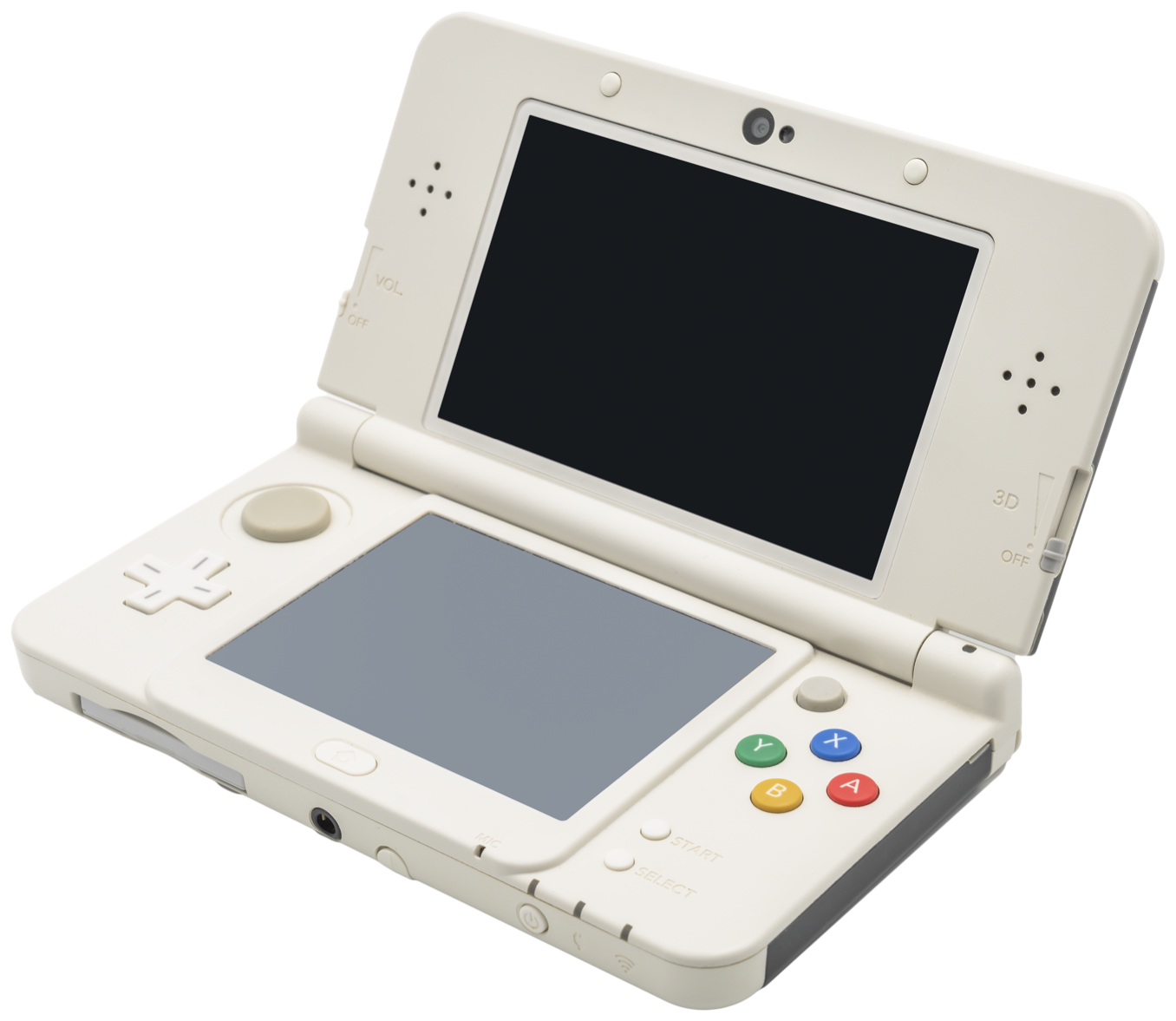
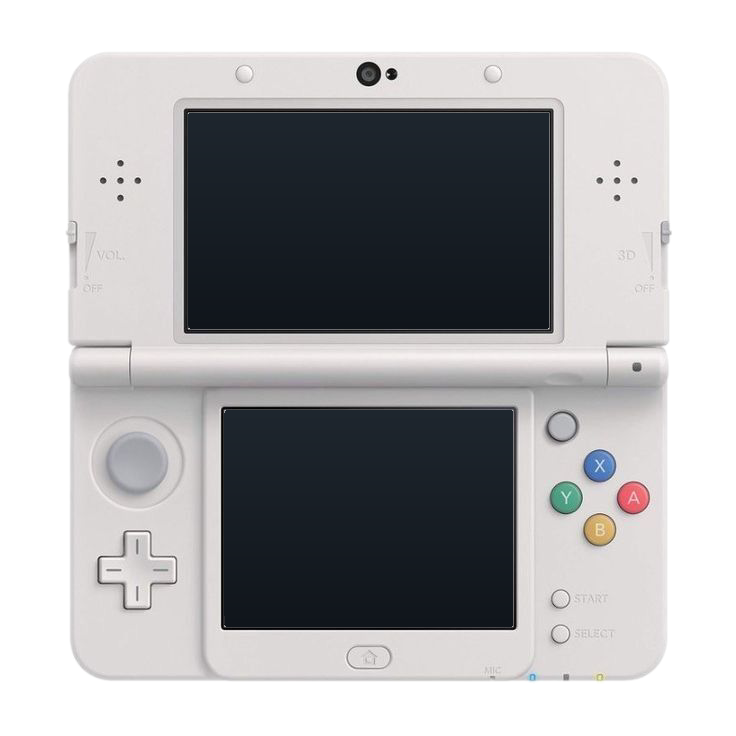
An open white New Nintendo 3DS, seen from the front at an angle, running 3dsFM. The top screen shows the song playing with its cover; the touch screen shows the player controls and the songs up next.

Features

What it does that others don't

Not Tomorrow (Long Version)Akira Yamaoka2:56Promise (Reprise)Akira Yamaoka1:45Subwoofer LullabyC4183:29SwedenC4183:36I Want Love (Studio Mix)Akira Yamaoka4:41ObstaclesSyd Matters3:30Tessellatealt-J3:08
Drop folders, get albums

Copy music to sdmc:/Music and that's the library. ID3v1 and ID3v2, Vorbis comments and Opus tags are read; files without tags take their title from the file name and their album and artist from the folders. No database to build, just rescan when you add more.

Top Picks1 h 33 min · 28 songs · Playlist

Mixed folders become playlists

A folder of songs by different artists isn't an album, so it isn't drawn like one. It gets a mosaic of its first four distinct covers, with identical pictures counted once, and every song keeps its own art in the lists and on the top screen.

Now playing · MP3 · 27 songs queued8:25 PM | 10/12Not Tomorrow (Long Version)Akira YamaokaTop Picks · Playlist1:052:56Promise (Reprise)Up next · Akira Yamaoka(A) Pause (L) Prev (R) Next (Y) Menu

The top screen is always the player

Whatever the touch screen is doing, the top screen shows the song that's playing: its cover fogged into the screen, the title set like a game logo, the time, and what's next. Browse the library below without losing sight of it.

ServerPaired serverNot paired›Stream qualityNeeds a serverPlaybackKeep playing with the lid closedPrefer saved copiesCrossfadeOff›LookDark modeAlbum art on the top screenLibraryMusic foldersdmc:/Music›

Plays with the lid shut

Close the lid and the screens go dark while the music carries on, the way the console's own sound app does. L and R still skip songs. Open it and everything is where you left it. One switch in Settings, on by default.

Not Tomorrow (Long Version)Akira Yamaoka · 1:05 / 2:568:25 PMBars · colors from the album art(A) Pause (B) Back (L) Prev (R) Next

A visualizer in the cover's colors

The two main colors are pulled from the album art and drive four styles drawn from the decoded audio. SELECT opens it from anywhere, and the touch screen dims after a while to save battery.

Not Tomorrow (Long Version)Akira Yamaoka2:56Promise (Reprise)Akira Yamaoka1:45Subwoofer LullabyC4183:29SwedenC4183:36I Want Love (Studio Mix)Akira Yamaoka4:41ObstaclesSyd Matters3:30Tessellatealt-J3:08

Dark by default, HOME Menu light a switch away

The same screens in two palettes: a dark one for a music player, and the white HOME Menu look the design started from. Both keep the console's selection blue, and the art fogs into whichever background is on.

Also: audio decoded on the second core and covers on a background thread, so an Old 3DS holds 60 fps; a queue with shuffle and repeat; search with the console's keyboard; lists that scroll by drag and flick; long titles that scroll instead of being cut; L and R to skip from any screen.

Install

Add it to your 3DS

You need a 3DS running custom firmware (Luma3DS) with FBI or the Homebrew Launcher. Not set up yet? Follow 3ds.hacks.guide first.

QR code that installs the latest 3dsFM CIA with FBI
Scan with FBI Remote Install, then Scan QR Code 3dsFM.cia

HOME Menu app

Recommended

3dsFM.cia, updates in place

  1. Open FBI on your 3DS.
  2. Choose Remote Install, then Scan QR Code.
  3. Point the camera at the code above and confirm.
Download

Direct downloads: 3dsFM.cia · 3dsFM.3dsx · SHA-256 checksums in 3dsFM.sha256 · older versions on the releases page.

Add music

Folders in, albums out

3dsFM reads whatever is under sdmc:/Music on the SD card. Folders become albums, tags fill in the rest, and a rescan in Settings picks up new files.

How should I lay the files out?

One folder per album, with the artist's folder above it if you like. Cover files are optional; embedded pictures work too.

sdmc:/Music/
├── Miki Matsubara/
│   └── Pocket Park/
│       ├── 01 - Mayonaka no Door.mp3
│       ├── 02 - Niji Iro no Ame.mp3
│       └── cover.jpg
├── Taeko Onuki/
│   └── Sunshower/
│       ├── 01 - Summer Connection.opus
│       └── folder.png
└── Top Picks/
    ├── 01 - Not Tomorrow.mp3
    └── 02 - Sweden.mp3

What about the Top Picks folder? It's songs by all sorts of people.

That's a playlist. When the songs in a folder have different artists, 3dsFM shows it with a mosaic of its first four distinct covers and calls it a playlist instead of giving it one artist.

Which formats?

MP3, Ogg Vorbis, Opus and WAV. Tags come from ID3v1 and ID3v2, Vorbis comments and Opus tags. Files with no tags take their title from the file name and their album and artist from the folders.

Everything above works today, offline. 3dsFM plays the music on your SD card and nothing else: no server, no streaming, no downloads.

Questions

Common questions

It runs but there's no sound

Homebrew audio needs the console's DSP firmware, which Nintendo doesn't let apps carry. Run DSP1 once: it dumps it to sdmc:/3ds/dspfirm.cdc, and 3dsFM finds it from then on. The app tells you when the file is missing.

Which files does it play?

MP3, Ogg Vorbis, Opus and WAV, decoded in software, so an Old 3DS copes too. FLAC and AAC aren't there yet. Convert with ffmpeg if you need to: Opus at 96 kbps sounds very good on the console's speakers and headphones and keeps files small.

My covers don't show up

3dsFM looks for a picture inside each file first, then for cover, folder, front or album images (JPEG or PNG) in the album's folder. Very large pictures are fine; they're scaled on a background thread. If the file's picture is in a format other than JPEG or PNG, the folder image is the fallback.

Why is my folder a "playlist"?

Because its songs have different artists. An album has one cover; a playlist has many, so it's drawn as a mosaic of its first four distinct covers and labelled Playlist. Give the songs the same album artist tag and the same cover if you'd rather it looked like an album.

Does it keep playing with the lid closed?

Yes, when Settings → Keep playing with the lid closed is on, which it is by default. The screens switch off and the music carries on; L and R still skip songs. Pause first if you'd rather the console slept.

Can it stream from somewhere?

No. 3dsFM is an offline player for the music on your SD card, which is also the part that works on a train. There is no server, streaming or downloading in the app.